SMS
How customers opt in to texts
Wafter Notifications · Last updated: October 16, 2026
Wafter.ai sends text messages on behalf of sports venues to their own customers. Each venue shares its Wafter booking page (app.wafter.ai/book/<venue>), and customers opt in there in one of the two ways shown below. The program terms are in our SMS Terms and Privacy Policy.
The screenshots come from the booking page of an example venue, Example Badminton Club. Names and phone numbers are examples.
1. Booking texts: a separate checkbox
On the “Your details” step, below the mobile number, customers see a checkbox. It is unchecked by default, and booking works without ticking it. It reads:
Text me booking reminders, booking updates and verification codes for <Venue name>, sent by Wafter, at the Canada or US mobile number above. Message frequency varies. Message and data rates may apply. Reply STOP to opt out, HELP for help. Consent is not a condition of booking. See our Terms and Privacy Policy.
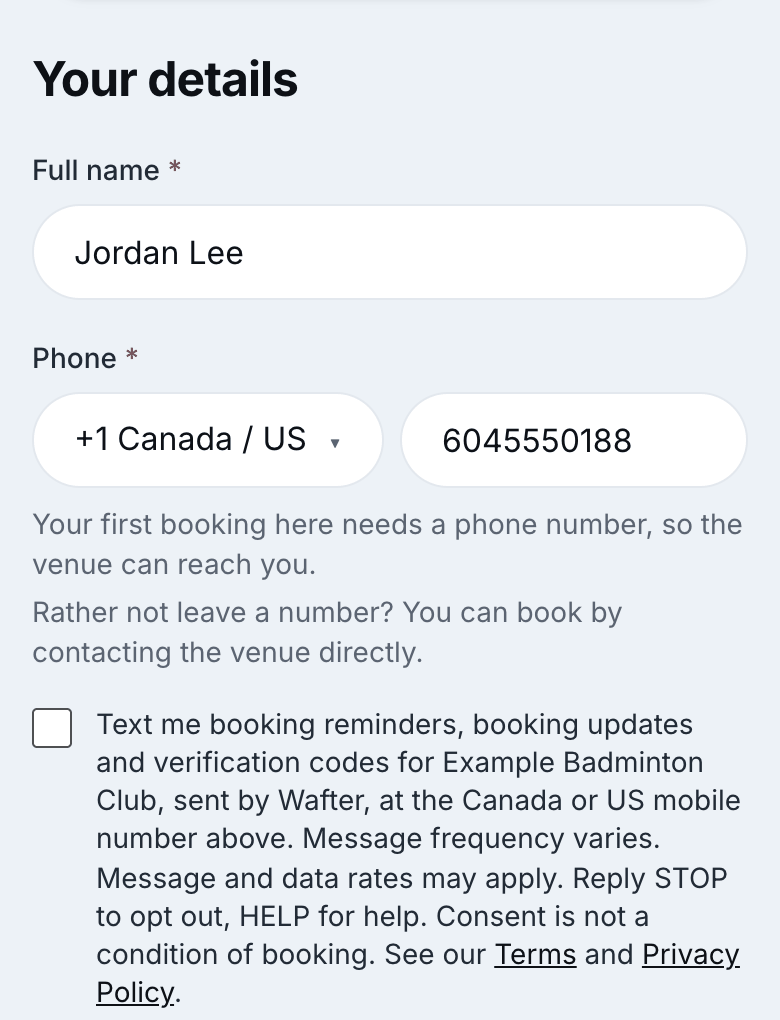
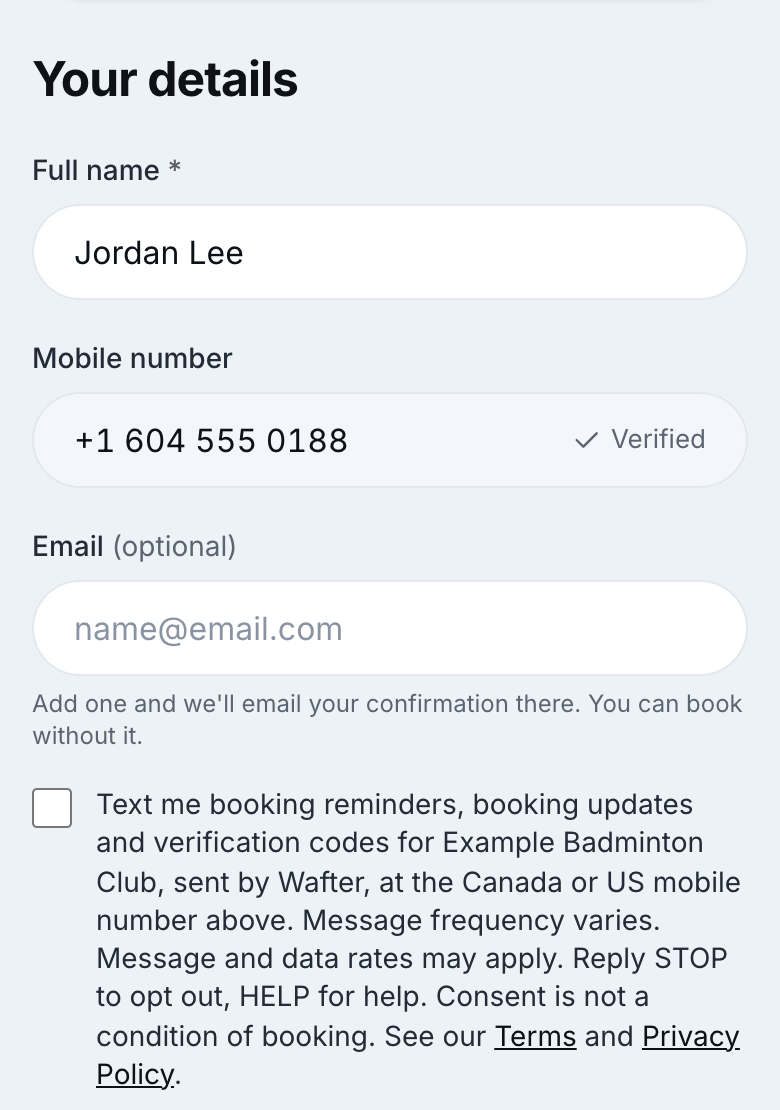
A ticked box lets Wafter text that customer booking confirmations, booking reminders and verification codes for that venue.
2. Turning texts on or off later
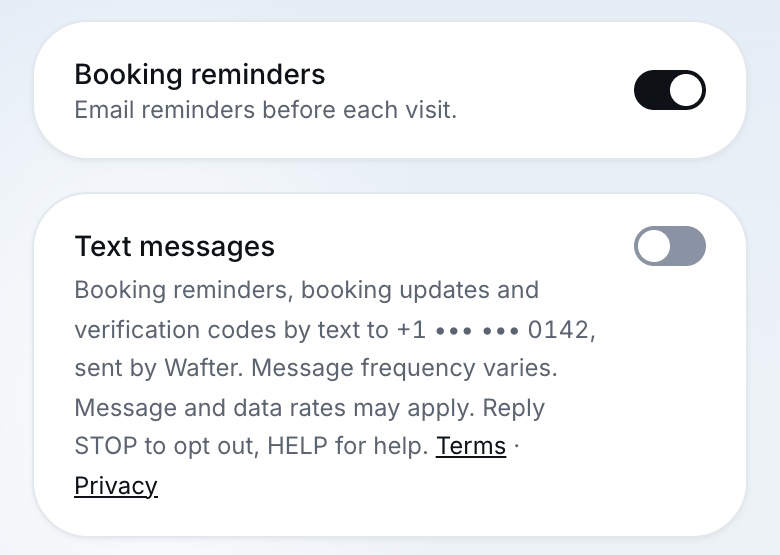
On the venue’s “My bookings” page, customers can switch Text messages on or off at any time. The switch shows the same disclosure.
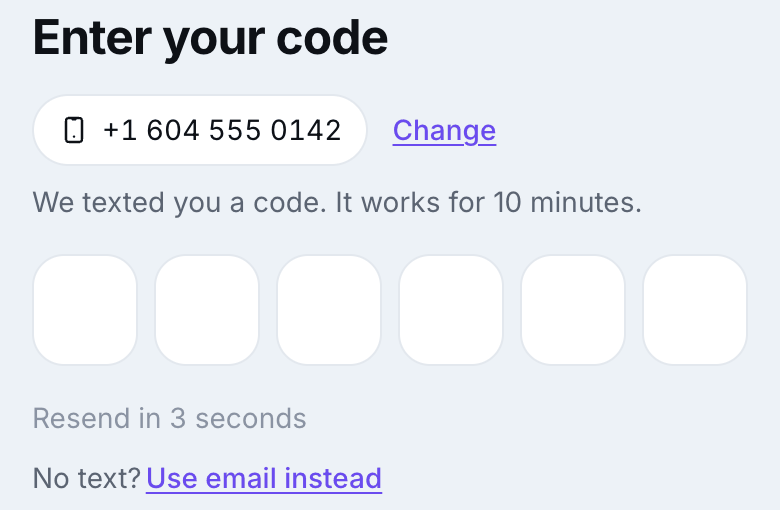
3. One verification code: “Send code”
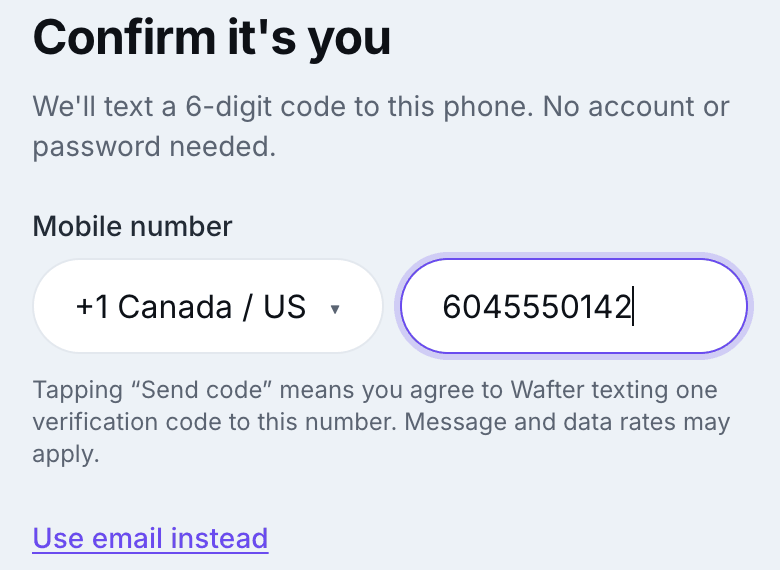
A venue may let customers confirm who they are by phone instead of email. The customer types their mobile number and taps “Send code”. Under the number field it reads:
Tapping “Send code” means you agree to Wafter texting one verification code to this number. Message and data rates may apply.
This sends one code only. It does not sign the customer up for any other texts: booking texts still need the checkbox in section 1. “Use email instead” is always offered.
4. Messages we send
- Verification code
- Wafter: Your verification code is 482913. It expires in 10 minutes. Reply STOP to opt out.
- Booking confirmation
- Wafter: Example Badminton Club booking confirmed - Court Rental, Tue, Oct 20 at 6:00 PM. Ref #X463X8. Reply STOP to opt out.
- Booking reminder
- Wafter: Reminder - Court Rental at Example Badminton Club is booked for Tue, Oct 20 at 6:00 PM. Reply STOP to opt out.
Every message starts with “Wafter:” and names the venue. We never send marketing or promotional texts. Message frequency varies with the customer’s bookings. Message and data rates may apply.
5. Opting out and help
- Reply STOP (or STOPALL, UNSUBSCRIBE, CANCEL, END, QUIT) to any message to stop all texts. We send one confirmation and nothing more.
- Reply START to allow texts again. To get booking texts from a venue again, tick the box or turn on Text messages on its My bookings page.
- Reply HELP (or INFO), or email support@wafter.ai.
6. What we record
For every opt-in and opt-out we store the phone number, the time, the page, the IP address and the version of the consent wording shown. A STOP reply withdraws consent for every venue at that number.
7. Contact
REALM Cultural Marketing Solutions Inc. (Wafter.ai)South Tower, 5811 Cooney Rd, Suite 305
Richmond, BC V6X 3M1, Canada
support@wafter.ai